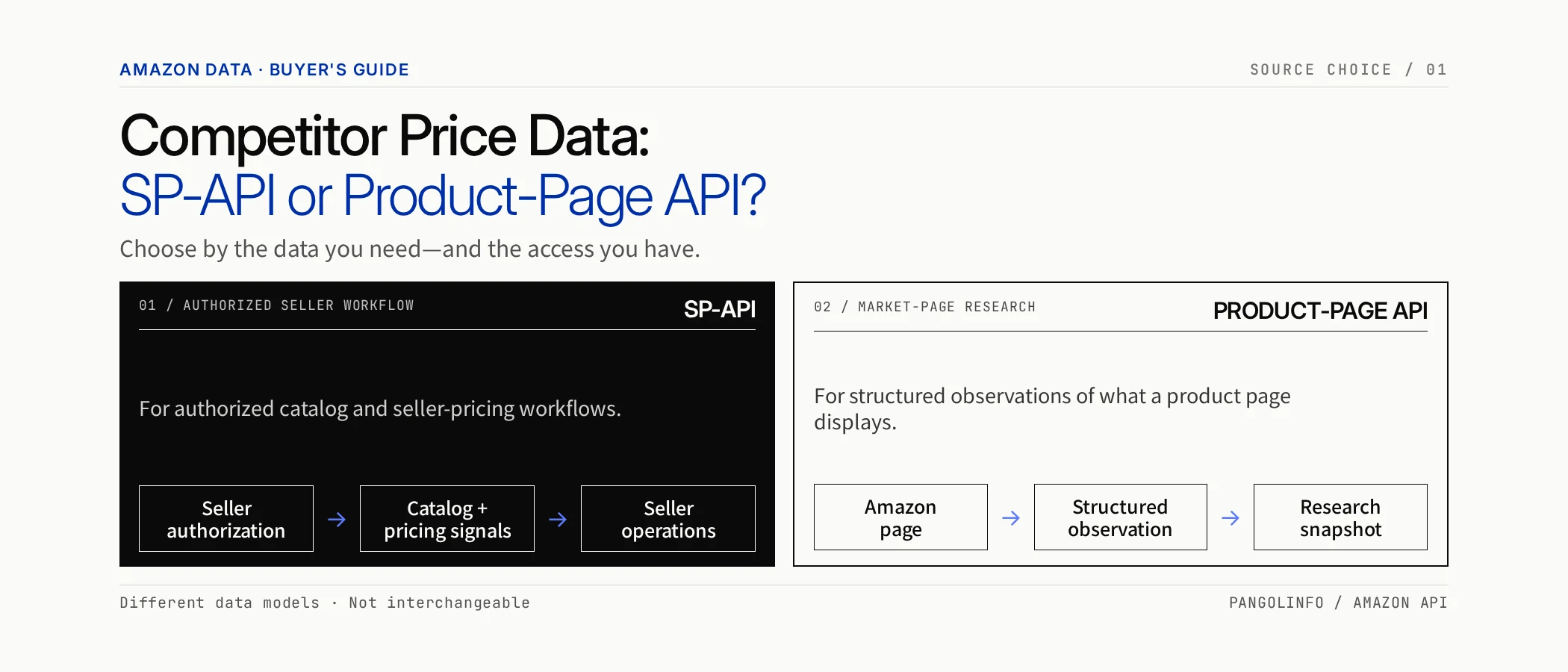
“Which Amazon API should I use to monitor competitor prices?” sounds like a feature comparison, but it is really a data-source decision. Amazon’s Selling Partner API (SP-API) is built around authorized seller and vendor workflows; a product-page data API turns what is displayed on marketplace pages into structured observations. They can inform related decisions, but they are not interchangeable feeds.
Start with the decision, not the acronym
There are at least two different questions hidden in “competitor price monitoring.” A seller may need pricing signals for offers connected to an account they are authorized to operate, perhaps to support a repricer. A research team may instead need repeatable observations of product pages across ASINs and marketplaces. The first is an account-and-offer workflow; the second is a page-observation workflow. Decide which one describes your use before estimating an API’s coverage.
When SP-API is the better fit
Use SP-API when the workflow belongs inside a seller or vendor integration and the necessary authorization and roles are available. The current Catalog Items API documentation describes retrieving item details and searching catalog items by identifiers or keywords. Its availability covers sellers and vendors, and the documented operations require the Product Listing role.
For offer and pricing work, the Product Pricing API is a separate surface. Amazon describes it as a tool for seller pricing automation; its current availability is sellers only, with Pricing-role requirements for operations such as getCompetitiveSummary. That operation can return competitive pricing and offer information, but calls still depend on authorization from the selling partner and the required developer/app roles. If your business owns the relevant seller workflow and needs those supported signals, SP-API is the natural starting point.
Do not assume that every Catalog Items field is a price offer, or that access to catalog search automatically grants Product Pricing access. Treat the APIs as distinct capabilities and confirm the roles, authorization, marketplace coverage and exact response fields your implementation needs.
When a product-page data API is the better fit
Choose a product-page API when the research question is about what an Amazon page displays for a product in a particular marketplace and location context—not about operating a seller-authorized repricer. Pangolinfo’s current Product Detail documentation describes parserName=amzProductDetail, accepting a product URL or an ASIN with its site; an optional bizContext.zipcode must match the marketplace’s country. The page currently lists 13 Amazon sites and six parser types for the main Scraper API.
The Product Detail schema can include fields such as displayed price, seller, availability, delivery, variations and rating information. Those values depend on the live target page and what is available there; an absent or changing field should remain absent or qualified in your pipeline. The docs list 1 credit per successful JSON fetch (with the actual charge reported by pointCost); the public product page currently advertises 60 monthly free credits. Check the live pricing page and account billing before forecasting a production workload.
This approach is useful when a market-research system needs structured product-page snapshots across many products or sites. It does not, by itself, create a reliable price history or decide whether to change a price. Store the observation time, ASIN, marketplace, relevant postal context and variant alongside each response. One snapshot is an observation, not a trend.
A buyer’s comparison
| Question | SP-API | Product-page API |
|---|---|---|
| What is the data model? | Authorized catalog or seller pricing/offer operations. | Structured observations of marketplace pages. |
| What access must you have? | Selling-partner authorization plus the specific API roles and app configuration. | A provider account/API key and a supported marketplace request; check the provider’s current terms. |
| Best starting use | A seller’s own repricing or authorized offer workflow. | Market research that compares visible product-page information by ASIN and context. |
| What can change the result? | Authorization, role, operation and marketplace support. | Marketplace, ZIP context, page state, product variant and field availability. |
A simple selection test
- Who is the workflow for? If a seller authorizes your app and the job is tied to that seller’s operations, check the SP-API roles and operations first.
- What object must be observed? If you need a marketplace page’s displayed product details for an independent research dataset, test a product-page API against representative ASINs.
- Can you compare like with like? Fix the marketplace, ZIP/postal context and variant where relevant. Define how you handle missing data, multiple offers and price changes before alerting anyone.
- What will the pilot cost and maintain? Estimate the number of requests and refresh cadence from the actual workflow; then compare the live billable units and access work, not just one headline price. The credit-planning guide shows how to estimate request volume, while the timestamp guide explains why request time and source-observation time should not be conflated.
Bottom line
For a seller-authorized pricing workflow, start with SP-API’s Catalog Items and Product Pricing capabilities and verify the exact role and authorization requirements. For structured research of what product pages display across supported ASINs and marketplace contexts, evaluate a product-page API with a small, representative test set. The deciding question is not “Which API is better?” It is “Which source can provide the evidence my specific decision needs, under access and operating conditions I can support?”
If you are evaluating Pangolinfo for the second path, review the current Amazon Scraper API page and Product Detail docs, then validate the returned fields and current pricing against your own use case. The recent Review API vs Product API comparison and keyword-to-ASIN workflow cover adjacent product-research decisions.